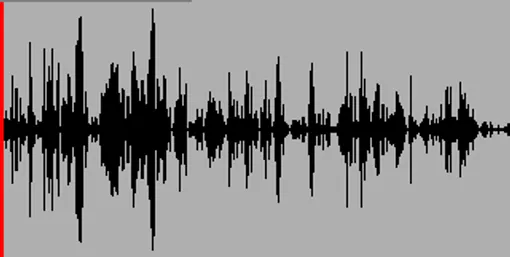
Node-Based Audio Editor
Audio_Editor
Introduction
Audio_Editor is a node-based audio editing tool developed in C++ during my third year at Gaming Campus (GTech, Tech – Engine specialization) under the supervision of Johann Philippe.
The goal of this project was to build a fully functional WAV audio editor, capable of:
- Loading audio files
- Editing them with various transformations
- Playing them in real time
- Saving the modified result
Beyond the tool itself, this project was a deep dive into:
- Digital signal processing fundamentals
- Audio data representation
- Low-level audio playback systems
We chose to focus on creating a user-friendly and visual workflow, inspired by node-based editors commonly used in game engines and creative software.
Project Context & Objectives
The project required us to:
- Work with raw WAV file formats
- Understand how audio data is stored and processed
- Implement editing features from scratch
- Use a low-level API (XAudio) to handle sound playback
Key objectives included:
- Building a fully interactive editor
- Providing visual feedback of the audio signal
- Allowing non-destructive-style manipulation workflows
- Keeping the tool intuitive despite technical complexity
Node-Based Editor Interface
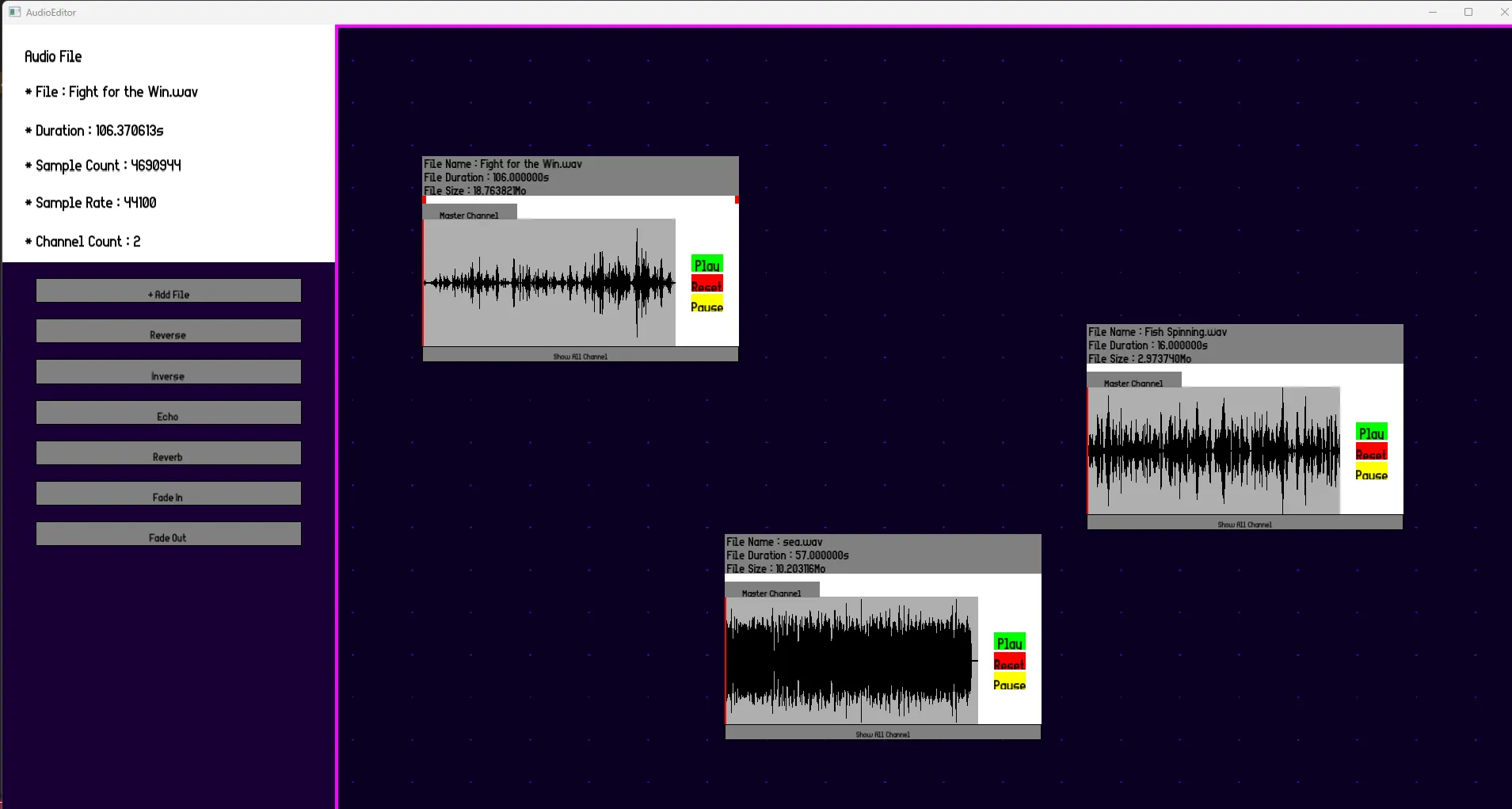
One of the core design choices was to build a node-based editing interface.
Instead of a traditional timeline-only editor, we implemented:
- An infinite canvas
- Draggable audio nodes
- A system to organize and manipulate audio visually
Users can:
- Create nodes representing audio clips
- Move them freely in space
- Select and edit them independently
This approach:
- Makes the editor more modular and flexible
- Encourages experimentation
- Aligns with workflows used in modern tools (e.g. shader graphs, visual scripting)
Audio Visualization
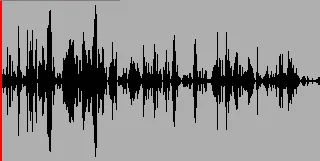
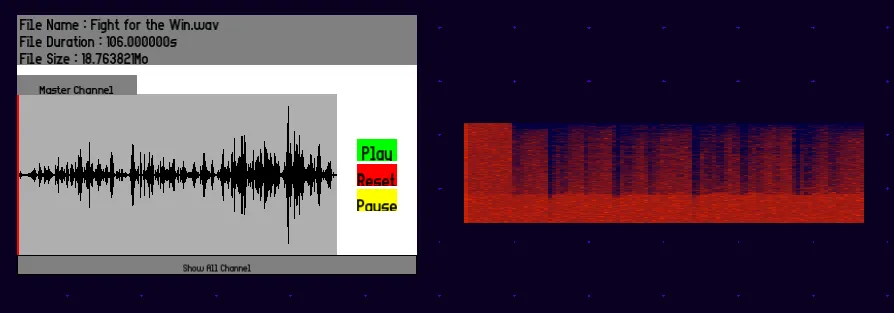
A key feature of the editor is the accurate waveform visualization.
We implemented a system that:
- Reads raw audio sample data from WAV files
- Converts it into a visual waveform representation
- Displays it in real time inside the editor
This allowed users to:
- Precisely see the structure of the sound
- Make accurate selections and edits
- Better understand how transformations affect the signal
Editing Features
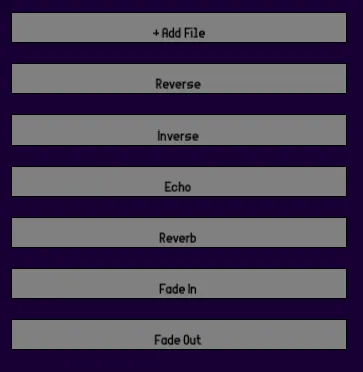
The editor includes a variety of audio manipulation tools, all implemented from scratch:
Basic Editing
- Selection of audio segments
- Cut / Copy / Paste
- Reverse audio
- Amplitude (intensity) adjustment
Effects
We also implemented several classic audio effects:
- Fade In / Fade Out
- Echo / Reverb (simple implementations)
These effects required directly manipulating the sample data, reinforcing our understanding of:
- Signal transformations
- Time-based audio effects
- Buffer processing
Frequency Analysis (FFT)
To go further, we implemented a frequency domain analysis using FFT (Fast Fourier Transform).
This allowed us to:
- Extract frequency information from the signal
- Visualize it as a spectrum representation
This feature provided:
- A different perspective on sound (frequency vs time domain)
- A more technical and analytical tool within the editor
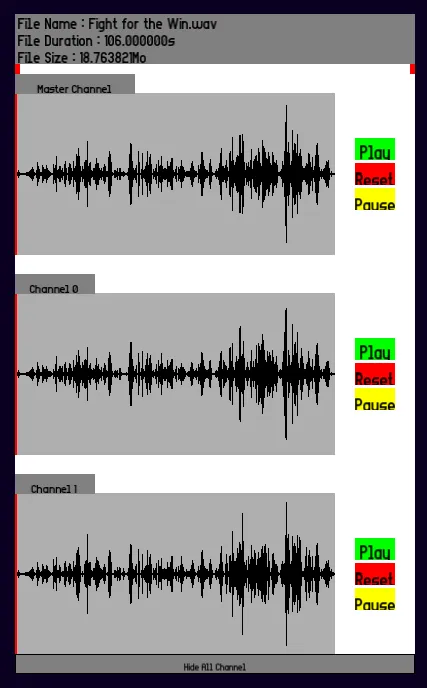
Multi-Channel Support
The editor supports multi-channel audio and allows:
- Viewing each channel independently
- Better understanding of stereo and spatial audio
This was important to:
- Correctly interpret WAV file structures
- Ensure accurate playback and editing
Audio Playback with XAudio
For real-time playback, we used XAudio, a low-level audio API.
This required:
- Managing audio buffers manually
- Sending processed data directly to the sound card
- Handling playback states and synchronization
Working with XAudio gave us insight into:
- How audio is actually streamed to hardware
- The importance of performance and memory management
- Low-level systems programming in a real-world context
Technical Challenges
Understanding Raw Audio Data
One of the biggest challenges was learning how to:
- Interpret binary WAV file structures
- Convert raw data into usable sample buffers
- Handle different formats and edge cases
Real-Time Processing
Applying effects while maintaining:
- Performance
- Responsiveness
- Accuracy
…was a non-trivial task, especially in C++ without high-level libraries.
UX vs Technical Complexity
We aimed to keep the editor:
- Accessible
- Visual
- Easy to use
…while dealing with inherently complex systems like:
- Signal processing
- Memory management
- Real-time playback
Balancing both aspects was a key challenge of the project.
Conclusion
Audio_Editor was a highly technical and rewarding project that expanded my understanding of audio programming at a low level.
Through this project, I learned:
- How sound is represented digitally
- How to implement audio processing algorithms
- How to use a low-level API (XAudio) for playback
- How to design a tool-oriented application with a strong UX focus
Building a complete audio editor from scratch gave me valuable experience in both:
- engine-level programming
- and user-facing tool design
It also strengthened my ability to bridge the gap between complex technical systems and intuitive user experiences.