Python-Games
Python-Games
Intoduction
At the time when i write this, i’m 2 years after the last push of this project so i dont remember every details. But the context is a project during my first year of study. In this project we were supposed to learn Python but as I was coding with Python since 2 years at this time, I started creating minigames as fast as i can. The duration of the project was 2 weeks and I achieved to create 5 mini-project :
- More or Less
- rock-paper-scissors
- Tic-Tac-Toe
- Worldle
- Simulation of the stock market
Project 1 : More or less
This first project is a simple game that follow a few rules :
- Choose a minimum and a maximum for a random number to be generated.
- Set a number of try.
- Try to guess the number and the game will tell you if the objective is more or less.
if you guess the correct number in less than the choosed amount of try, then you win !
Before looking at what the game look like, it is important to notice that any invalid input will be ignored and will result in retrying to ask the same input. Valid input contains only 0123456789.

In my Editor1, a game will look like this:
First, i take two inputs for the minimum and the maximum between which a random number will be generated.

Next, you will be asked a number of try, the higher, the easier. Here i choosed to try to find a number between 0-100 in 10 try. Therefore, I guessed 50 (choose the median is a good start to eliminate half the possibilities). Here i know that the answer is between 50 and 100.

Later, I encountered a number where the game said that the answer is less that it. So the Answer is between 75 and 87.

Finally, I Tried different number until I guessed the correct answer, here it was 86 !

Alternally, if i had failed to find the correct number in 10 try, this is what i would have get.

Project 2 : Rock-Paper-Scissors
Next is a pretty common game that anyone played as a child, Rock-Paper-Scissors !
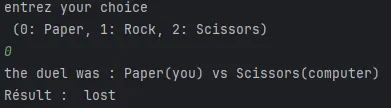
The computer choose at random so this is a basic project that can be enhanced.
Project 3 : Tic-Tac-Toe
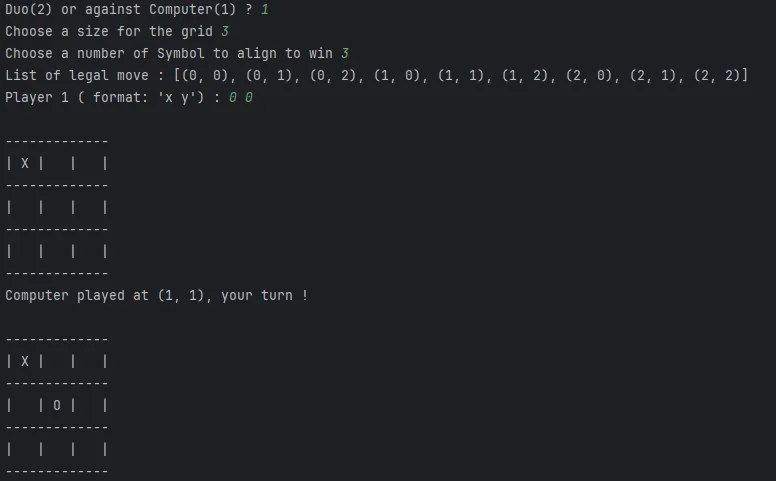
Everybody know Tic-Tac-Toe, this is a training project that allow you to play tic-tac-toe with someone, or against the computer. If you play against the computer and he can win in 1 move he will do it on the contrary if he is going to lose in 1 move he will try to prevent that.
Project 4 : Wordle
this project is more advance that the other 4. Here i made a real wordle cap with 5 letters. I gathered a big list of legal words (in French) that are 5 letters long. and built an interface that allow for playing.
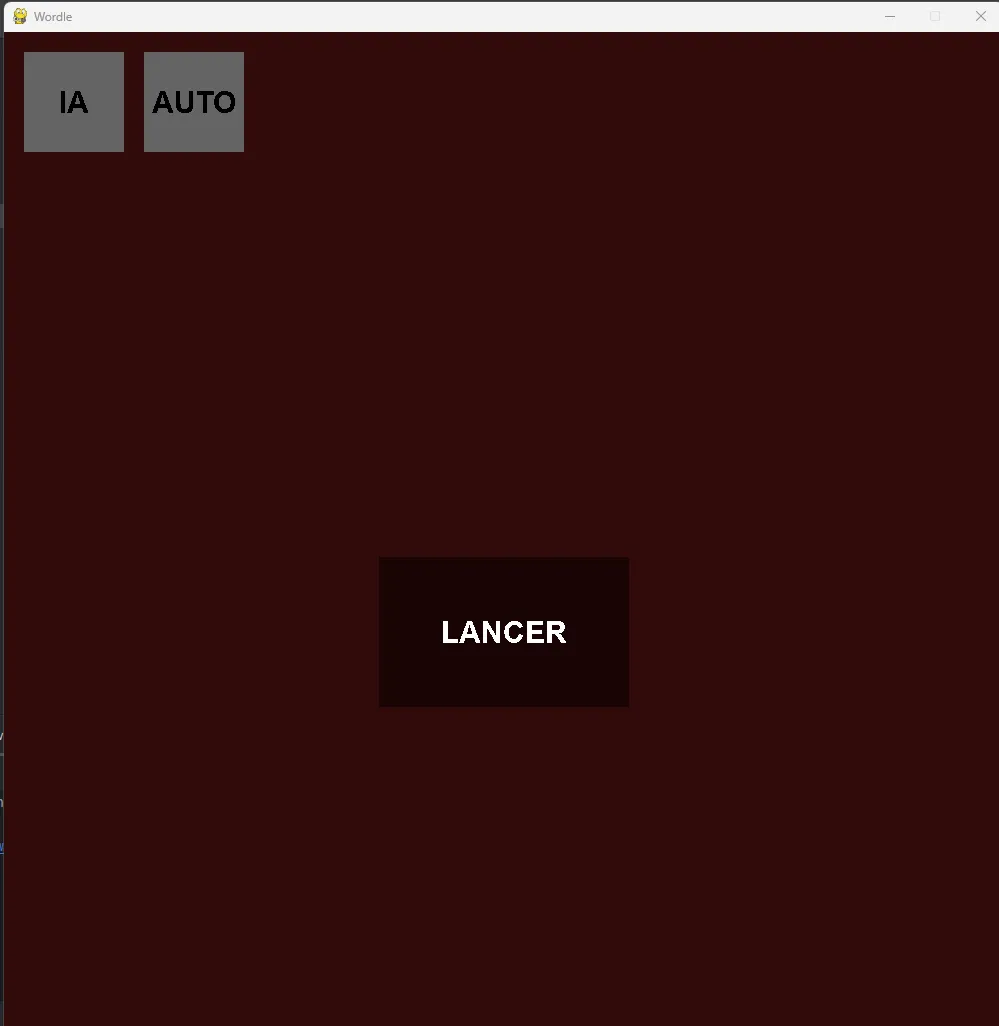
there are 3 main components. first the ‘Lancer’ button to start a normal game.
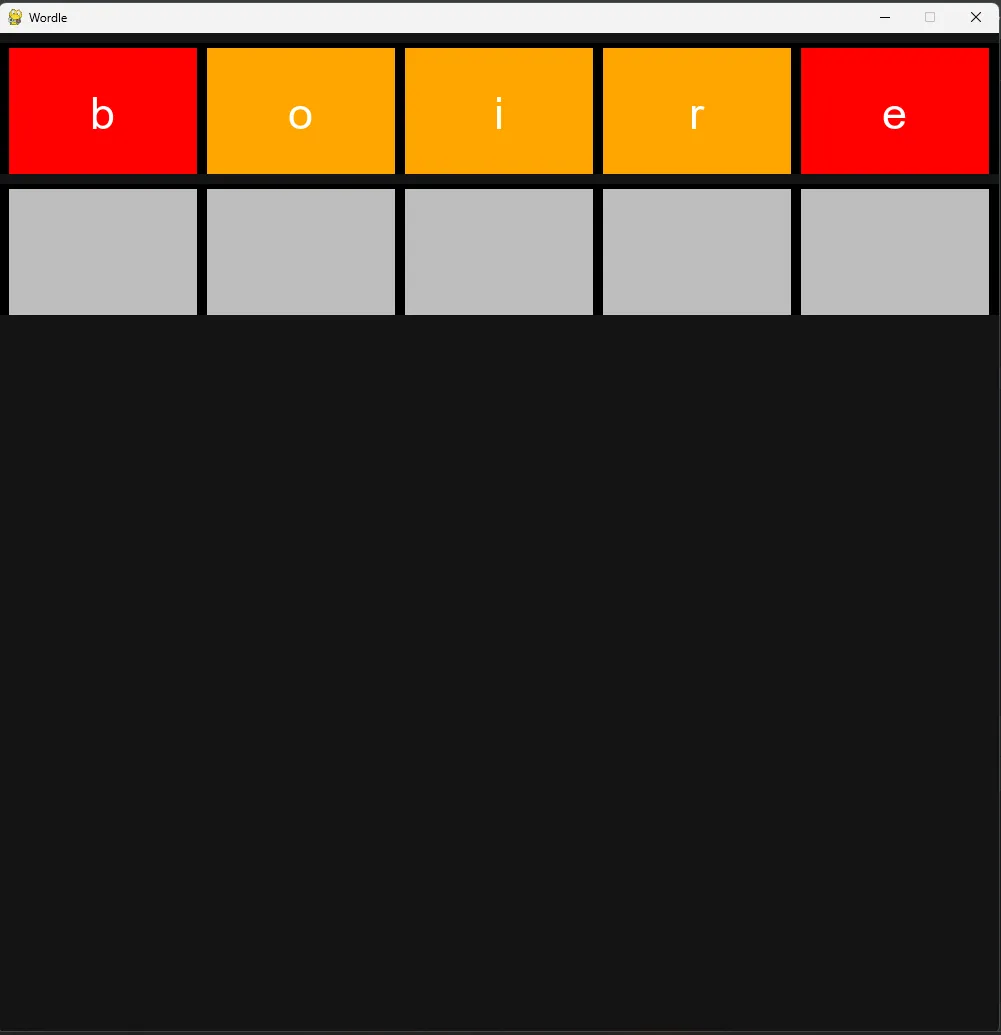
You arrived in this window which allow for typing 5 letter, removing them, re-writing, and press enter to check the letter (if the input is illegal, nothing will append). Then the red letter are not in the word, yellow one are missplaced and green ones are correct and well placed. You have until 7 try.
Also you may have seen the ‘AI’ button it can be used to automaticaly check for the best word at an instant. This is an algo that i developped and that has pretty good result. This is where the ‘AUTO’ button comes handy, it is used to simulate hundred of games to see how well my AI perform.
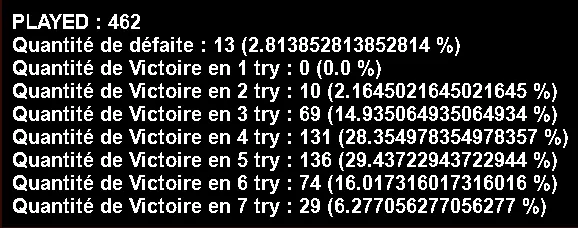
In 462 games, it lost only 13 times. which represent 2.81% of the games ! Additinaly, you can see a beautiful Gaussian ditribution on the other number of try centered in 4 to 5 try.
Project 5 : Simulation of the stock market
This is a little project with an interface that i made quickly, we used this to bet on a curve. And in reality, those are completely random. they simply choose between -1 and +1 at each frame and add this to they current height and this create this nice effect.
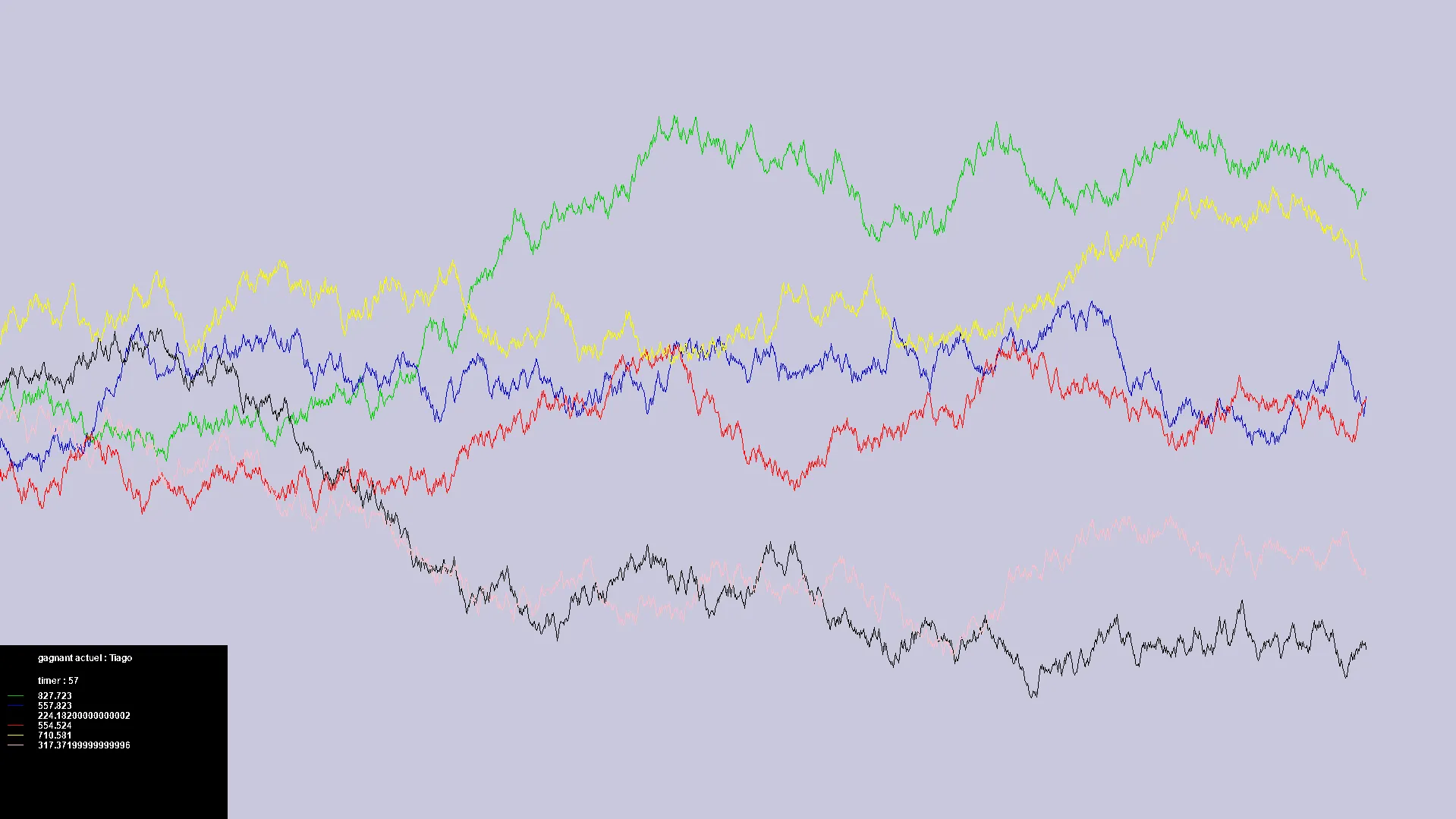
Here it was Tiago with the green curve who was leading. and there is a timer that at its end close the simulation and tell us who was first. which is fun to pick someone at random it make some suspense.
Conclusion
Those 5 projects were a base from which i only gain in methodology and quality. Those are not perfect at all but they are where i come from and here to tell me how i evolved.
Footnotes
-
I’m using Pycharm as my main editor for all my python projects ↩